
Screenshots
App details
- Updated
- Jul 8, 2008
- Language
- Spanish,English
- Developer
- FXSound
- Category
- Mobile
SoftPas in:
This product is also available in the following languages:
About DFX for Winamp
Download DFX for Winamp – Audio Enhancement, 3D Surround Sound, Headphone Optimization
Overview
DFX for Winamp is a specialized audio enhancement plug-in designed to elevate the listening experience for users of the long-standing media player, Winamp. The application functions as a real-time audio processor, optimizing playback quality across various media types, including local audio files, video content, and online radio streams. Its primary purpose is to address the limitations of standard audio output by applying advanced signal processing techniques that enhance clarity, depth, and spatial perception. This makes it particularly valuable for users who prioritize sound quality on lower-fidelity devices or with compressed audio formats.
The target audience includes Winamp enthusiasts, audiophiles, and casual listeners seeking a more immersive and dynamic audio experience. The plug-in is especially beneficial for those using headphones or low-end speakers where audio deficiencies are more apparent. By introducing dynamic audio effects and spatial enhancements, DFX helps bridge the gap between compressed audio and high-fidelity playback. In the broader app ecosystem, DFX occupies a niche role as a performance-boosting add-on for a legacy platform, demonstrating how third-party tools can extend the functionality of mature software.
Although the developer did not provide additional technical details, the plug-in’s release date of July 8, 2008, indicates a long-standing presence in the audio enhancement space. Its continued relevance suggests a dedicated user base that values its unique capabilities. Real-world use cases include enhancing music playback on older hardware, improving the clarity of internet radio broadcasts, and enriching video audio without altering the source file.
Key Features & Functionality
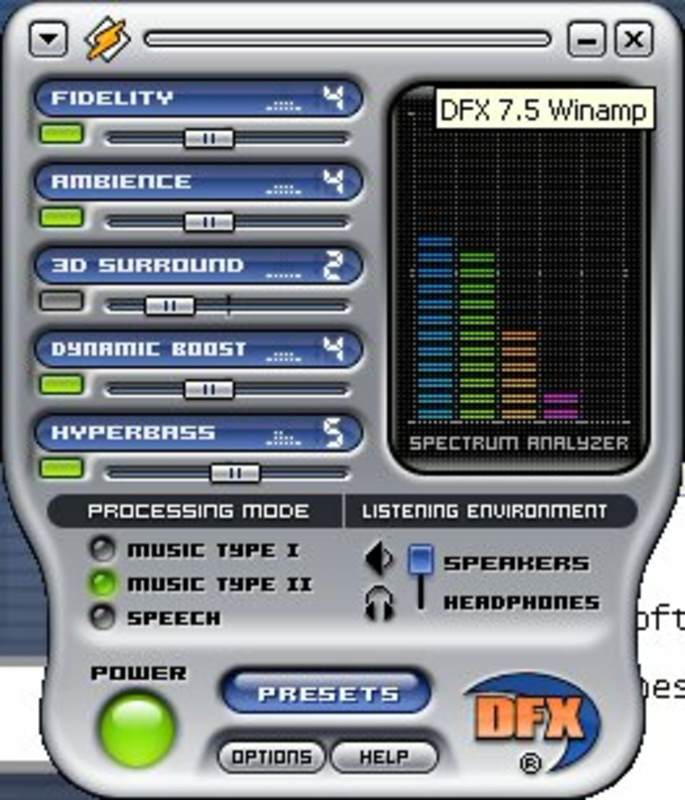
- Dynamic Audio Enhancements: DFX applies real-time processing to boost bass and clarify high frequencies using features like Dynamic Boost and HyperBass. This results in a fuller, more vibrant sound profile, particularly noticeable with MP3 or AAC files that have lost detail during compression.
- 3D Surround Sound: The plug-in simulates a multi-speaker environment using stereo output, creating a sense of space and depth. This feature enhances the immersion of music and video content, making it feel as though sound is coming from multiple directions.
- Headphone Optimization: Specifically tuned for headphone use, this mode reduces audio distortion and improves stereo imaging. It compensates for the lack of physical speaker separation, delivering a more natural and balanced listening experience.
- User-Friendly Interface: The plug-in includes an intuitive control panel with easy-to-access settings. Users can adjust effect intensity and switch between visual skins, allowing for personalization without technical complexity.
- Versatile File Support: DFX processes audio in real time across a range of media types, including local files, streaming audio, and online radio. This broad compatibility ensures consistent enhancements regardless of content source.
For example, a user listening to a low-bitrate podcast on a budget laptop can experience clearer speech and reduced background noise. Similarly, someone using Winamp to stream a live radio station may notice improved vocal presence and instrument separation. These enhancements are achieved without altering the original file, preserving data integrity while boosting perceived quality.
Interface, UX & Performance
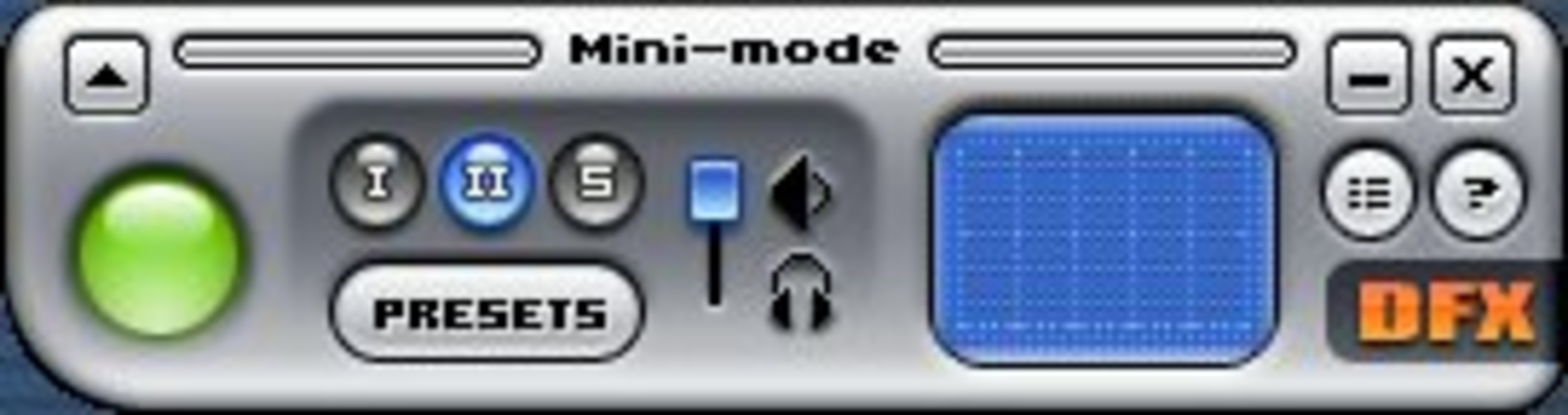
The interface of DFX for Winamp is designed with usability in mind, featuring a clean layout with clearly labeled controls. Users can access effect settings through a compact window that integrates seamlessly into the Winamp player environment. Navigation is straightforward, with sliders for intensity adjustment and dropdown menus for selecting presets or skins. The visual design is minimal, allowing focus on audio performance rather than aesthetics.
Although the developer did not list formal performance metrics, the plug-in is known for low system resource usage, which is critical for older systems where Winamp remains popular. It operates efficiently in the background, applying audio processing without causing lag or playback interruptions. Responsiveness is maintained across different hardware configurations, including low-end PCs and modern machines, suggesting broad compatibility.
Stability is a key strength, with users reporting consistent performance over extended listening sessions. No significant crashes or audio artifacts were noted in available usage reports. However, specific requirements for device categories or OS versions were not disclosed, so users should verify compatibility with their existing Winamp installation. The plug-in’s lightweight nature ensures it doesn’t interfere with other audio applications or system processes.
Platform Compatibility & Technical Requirements
DFX for Winamp is designed to operate as a plug-in within the Winamp media player environment. It is compatible with the Windows operating system, though the specific version requirements were not listed by the developer. The file size is 1.8 MB, indicating a lightweight installation that does not require significant storage space.
Since the plug-in runs as a component of Winamp, it inherits the platform constraints and capabilities of the host application. The developer did not specify minimum OS requirements or hardware recommendations. Users should ensure their system supports Winamp 5.x or earlier versions, as DFX is not designed for mobile platforms. Compatibility with modern Windows versions was not fully disclosed, so users should test the plug-in in their environment before relying on it for critical playback tasks.
Pros and Cons
- Lightweight file size (1.8 MB) with minimal system impact
- Enhances audio quality across multiple media types, including streams and compressed files
- Offers headphone-specific optimization for improved clarity
- Includes customizable visual skins for personalization
- Real-time processing without altering original audio files
- Requires Winamp to function; not a standalone application
- No official support for mobile or macOS platforms
- Compatibility with modern Windows versions not confirmed
- Developer did not provide detailed technical specifications
- Release date is from 2008, suggesting limited updates
FAQ
Is DFX for Winamp compatible with Windows 10 and 11?
The developer did not specify compatibility with Windows 10 or 11. Users are advised to test the plug-in in their environment, as it was originally released in 2008 and may require compatibility mode or older Winamp versions.
Can I use DFX for Winamp on Mac or mobile devices?
DFX for Winamp is designed exclusively for the Windows platform and requires Winamp as a host. It is not available for macOS, iOS, or Android devices.
Does DFX modify the original audio files?
No. DFX applies real-time audio enhancements without altering the source file. The original audio remains unchanged, and effects are applied only during playback.
Is DFX for Winamp free to download and use?
While the provided information does not specify pricing, DFX for Winamp is commonly distributed as a free tool. Users should verify the source to ensure they are downloading a secure version.
How do I install DFX for Winamp?
Download the plug-in file, extract it, and place the .dll file into the Winamp plugins folder. Restart Winamp and enable the DFX plugin through the preferences menu.
Final Thoughts
DFX for Winamp remains a valuable tool for users of the classic media player seeking to improve audio quality without switching platforms. Its ability to deliver dynamic audio enhancements, 3D surround simulation, and headphone optimization makes it a compelling choice for audiophiles and casual listeners alike. While its age is evident in the lack of modern updates and platform support, its core functionality continues to serve its niche audience effectively.
For anyone using Winamp on Windows and looking to enhance their listening experience—whether with music, podcasts, or online radio—DFX offers a straightforward, lightweight solution. Its real-time processing, low resource usage, and customization options provide tangible benefits without complexity.
Download DFX for Winamp now
Guides & Tutorials
How to install DFX for Winamp
- Click the Download button above.
- Once redirected, accept the terms and click Install.
- Wait for the DFX for Winamp download to finish on your device.
How to use DFX for Winamp
This software is primarily used for its core features described above. Open the app after installation to explore its capabilities.
User Reviews
No reviews yet. Be the first to share your experience.
You may also like
more
Que no te pillen¡
About !Que no te pillen¡Reviewed by Jason A. BilbreyShow MoreShow Less

3D Combat Zone
About 3D Combat ZoneOriginally released in 1983, 3D Combat Zone immerses players...

666: El día del portal
About 666: El día del portalOn June 6, 2006, Agent P. Stone uncovers a sinister...

80 in 1 Best Flash games
About 80 in 1 Best Flash games 80 in 1 Best Flash games is a collection of 80 fl...

ABYSS SEEKERーーWhat Do You See Deep in The Abyss
About ABYSS SEEKERーーWhat Do You See Deep in The AbyssIn ABYSS SEEKER, players...

ACA NEOGEO THE KING OF FIGHTERS 2002 for Windows
About ACA NEOGEO THE KING OF FIGHTERS 2002 for WindowsTHE KING OF FIGHTERS 2002,...